AdGuard vs AdLock vs AdBlock vs Total Adblock vs Adblock Plus: Which Ad Blocker Fits Your Browsing
Habits?
On the surface, every ad blocker makes the same promise: fewer ads. That shared promise
hides some real differences. One tool might live entirely inside your browser. Another might filter traffic
across your whole device, including the apps that never open a browser window. A third might allow certain
non-intrusive ads by default, while a fourth blocks nearly everything unless you say otherwise.
Those distinctions matter more than the marketing suggests. The question worth asking
isn't “which one blocks ads?” but “which one blocks ads the way I actually
browse?”
This comparison looks at five widely used options—AdGuard, AdLock,
AdBlock, Total Adblock, and Adblock Plus—and lays out what separates them, so the choice becomes a
matter of matching features to habits rather than guesswork.
Adshieldly Editorial Team
Reviewed and last updated
· 10 min read
The Factors That Should Guide Your Decision
Before weighing individual products, it helps to know which characteristics tend to make the
biggest practical difference. Five stand out.
01
Browser compatibility
If your online activity happens almost entirely in Chrome, Firefox, Safari, or Edge, a browser extension
may cover everything you need. If you want filtering that reaches applications beyond the browser, a
dedicated desktop or mobile program becomes the more logical fit.
02
Privacy features
Ad blocking and privacy filtering aren't identical. Some tools go past advertisements to filter trackers,
cookies, scripts, or known malicious domains, which affects how much background data collection you're
exposed to.
03
Customization
More advanced users often want control: custom filter lists, allowlists for sites they trust, DNS
settings, or individual rules. The depth of that control varies considerably from one product to the next.
04
Mobile support
Ad blocking behaves differently on Android and iOS because of operating-system restrictions. A tool that
filters broadly on desktop may be more limited on a phone, so checking platform-specific capability is
worthwhile.
05
Advertising philosophy
This is a genuine dividing line. Some services permit certain non-intrusive ads by default through an
“Acceptable Ads” arrangement. Others block all advertising unless you specifically allow it.
Neither approach is inherently correct, but they lead to noticeably different experiences.
A Side-by-Side Overview
The table below summarizes how the five products compare across the factors that matter
most.
Feature
AdGuard
AdLock
AdBlock
Total Adblock
Adblock Plus
Browser extensions
Yes
Yes
Yes
Yes
Yes
Desktop apps
Yes
Yes
Primarily browser-based
Available through supported platforms
Primarily extensions
Mobile options
Android & iOS
Android & iOS
iOS & Android options
Android & iOS
iOS & Android options
Ad blocking
Yes
Yes
Yes
Yes
Yes
Tracker blocking
Yes
Yes
Yes
Yes
Yes
DNS filtering
Yes
—
—
—
—
Phishing/malicious-site filtering
Yes
Yes
Security features
Yes
Yes
Custom filtering
Yes
Yes
Yes
Available features vary
Yes
Acceptable/non-intrusive ads
Product-dependent
Blocks all by default
Enabled by default
Product-dependent
Enabled by default
Multi-device approach
Yes
Up to 5 devices with supported license
Browser/device dependent
Supported devices
Browser/device dependent
Best suited to
Broad device-level filtering
Strict blocking across devices/apps
Simple browser blocking
Broad consumer-focused blocking
Customizable browser filtering
Features, platform support, and availability can change by operating system, browser, and subscription
level. Always check the current product details before purchasing.
The Five Products in Detail
Each entry sets out what the product is built around, the features its provider highlights,
and the caveat worth knowing before you install it.
01
AdGuard
Best suited forUsers who want filtering and privacy controls that extend
across devices.
AdGuard takes a broad approach to content filtering. Its lineup spans applications for Windows, Mac,
Android, iOS, Linux, and Android TV, along with browser extensions, DNS filtering, and network-level
tools. Depending on the product, it can block ads and trackers, filter dangerous websites, apply DNS-based
filtering, and offer parental controls.
The main distinction is scope. AdGuard isn't confined to a browser extension. Its desktop applications
can filter traffic from both browsers and supported applications, while AdGuard Home provides
network-level filtering for devices connected to a home network.
Notable features:
Ad and tracker blocking
Browser extensions plus Windows and Mac applications
Android and iOS support
DNS filtering and phishing/dangerous-site protection
Custom filtering rules
Parental controls on supported products
Network-wide filtering through AdGuard Home
Things to consider: Because AdGuard is a family of products, available
features depend on which version you use. Someone who only wants a lightweight browser extension may not
need the broader desktop or DNS functionality.
Best suited forUsers who want firm ad blocking across both browsers and
applications.
AdLock keeps its position simple: it blocks advertisements by default rather than participating in an
Acceptable Ads program. According to the company, it filters ads, trackers, scripts, malicious requests,
and redirects, and can handle HTTP/HTTPS connections. Applications are available for Windows, macOS,
Android, iOS, and Android TV, alongside browser extensions.
A supported license can be activated on up to five devices, which may suit households running several
devices at once.
Notable features:
Blocks ads by default
Tracker and script filtering
Browser and app filtering
Windows, Mac, Android, iOS, and Android TV support
Custom filtering rules
Privacy and security features
Up to five devices with a supported license
Things to consider: AdLock reaches further than a basic browser extension.
Users who only want simple browser filtering may not need all of its additional capabilities.
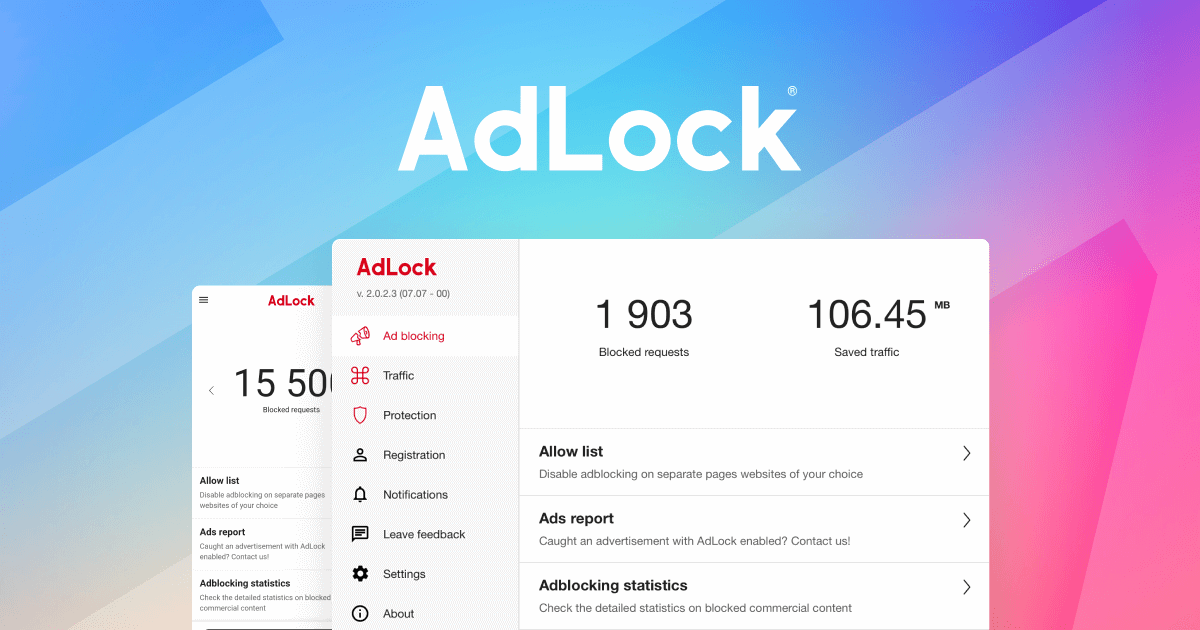
A dedicated application reports on everything it filtered; a browser extension generally reports
only on the browser it runs in. Screenshot: AdLock.
03
AdBlock
Best suited forUsers who want a familiar browser-based blocker with minimal
setup.
AdBlock centers on making browser-based ad blocking accessible without heavy configuration. Its current
product information highlights blocking pop-ups, banners, video advertisements, and third-party trackers.
The company states that the extension works with Chrome's updated extension framework and supports major
browsers.
AdBlock participates in the Acceptable Ads program, so non-intrusive ads are permitted by default. That
setting can be changed.
Notable features:
Browser-based ad blocking
Pop-up, banner, and video ad filtering
Third-party tracker blocking
Acceptable Ads option
Major browser support
Free core functionality
Open-source components
Things to consider: AdBlock is a strong fit when the main goal is browser
filtering, without adding a broader device-level application.
Best suited forUsers who want an all-around consumer service that pairs ad
blocking with added privacy features.
Total Adblock combines ad filtering with tracker and privacy-related tools. Its current product
information highlights blocking pop-ups, autoplay videos, banners, third-party trackers, and certain
malicious or phishing-related links. It supports desktop browsers as well as Android and iOS, though
capabilities vary by platform.
Unlike a simple extension, Total Adblock operates on a subscription model for full access. The service
currently offers monthly, quarterly, biannual, and annual plans, with automatic renewal unless canceled.
Notable features:
Pop-up and banner blocking
Video ad filtering
Tracker and cookie blocking
Phishing and malicious-site protection
Desktop and mobile support
Privacy-focused filtering
Subscription-based full access
Things to consider: Pricing and renewal terms deserve close attention, since
full access runs through subscriptions. The company also notes that blocking effectiveness can vary by
browser, device, and content type.
Best suited forUsers who want a customizable, well-established browser
extension.
Adblock Plus is a free, open-source extension available across major desktop browsers and selected mobile
platforms. It uses filter lists to block advertisements, tracking requests, and known malicious domains.
Its defining characteristic is the Acceptable Ads program. Under default settings, Adblock Plus permits
certain non-intrusive ads that meet established criteria. Users who prefer to block everything can disable
the feature.
Notable features:
Free browser extension
Open-source project
Ad blocking and tracker filtering
Malicious-domain filtering
Custom filter lists
Major browser support
Acceptable Ads controls
Things to consider: To block every advertisement automatically, you'll need
to switch off the Acceptable Ads setting. Users who want a middle ground between blocking ads and
supporting websites may prefer the default behavior.
The categories above become clearer when matched to specific situations.
For broad device-level filtering
AdGuard and AdLock stand apart because their dedicated applications extend beyond a single browser.
AdGuard adds DNS and network-level options, while AdLock concentrates on filtering across browsers and
applications.
For a straightforward browser extension
AdBlock and Adblock Plus are the natural options to investigate. Both are built around browser-based
filtering and run on major browsers.
For a subscription-based consumer service
Total Adblock bundles ad blocking, tracker filtering, and additional security-related features into a
paid offering.
For control over Acceptable Ads
AdBlock and Adblock Plus both allow non-intrusive advertising by default while letting users change that
setting. If the goal is to block all ads by default, AdLock takes the strictest stance of the five,
stating that it does not participate in the Acceptable Ads program.
Matching a Product to Your Priority
These are not absolute rankings. They're a way to narrow the field according to how you use
the web.
Your priority
Option to consider
Device-level filtering and DNS options
AdGuard
Strict ad blocking across browsers and apps
AdLock
Simple browser-based blocking
AdBlock
Subscription service with broader privacy features
Total Adblock
Open-source browser extension with customizable filters
Adblock Plus
A Closer Look at AdGuard
If you're weighing options beyond a basic browser extension, AdGuard is worth particular
attention because its ecosystem covers several layers of filtering rather than one.
The Windows and Mac applications apply system-level filtering. On Android, it can filter ads across
browsers and apps. On iOS, it combines browser blocking with DNS filtering. Alongside these, AdGuard
offers browser extensions and network-level products through AdGuard Home.
That range suits households or individuals using several types of devices who want more say over how
filtering is applied. It also leaves room to start small with a browser extension and move toward broader
filtering later, if needs change.
DesktopSystem-level filtering on Windows and Mac
MobileApps and browsers on Android; browser plus DNS on iOS
BrowserExtensions for the major browsers
NetworkHome-network filtering through AdGuard Home
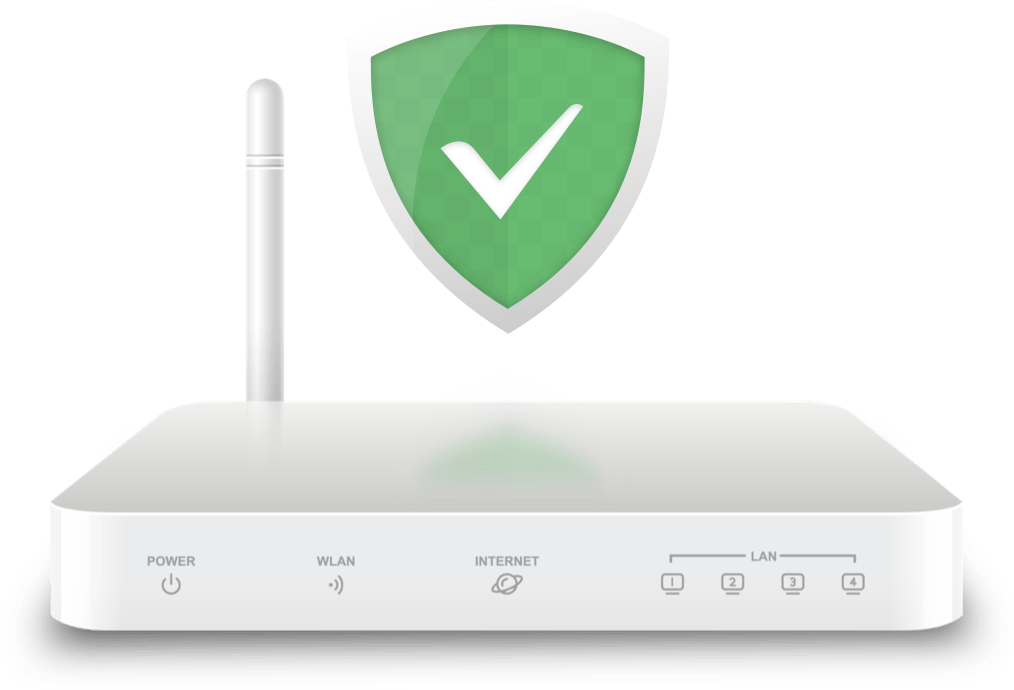
Network-level filtering sits at the router, which is the one layer a browser extension cannot
reach. Illustration: AdGuard.
Points to Weigh Before You Install Anything
Ad blocking isn't uniformly right for every site or every user, and a few realities are
worth keeping in view.
Many publishers fund free content through advertising revenue. Some users choose to allow ads on websites
they trust for that reason.
Effectiveness also varies: no ad blocker can guarantee that every advertisement, tracker, or promotional
element is blocked on every site. Websites change their technology, and filtering capability differs
across platforms. Total Adblock explicitly notes that blocking results can depend on browser, device, and
content type.
Some sites run anti-ad-blocking systems and may ask visitors to disable filtering before showing content.
Mobile platforms add another layer of variation, since operating-system restrictions and browser
architecture can limit what a blocker does on a phone compared with a desktop.
Finally, ad and tracker blocking reduces certain unwanted web activity, but it is not a substitute for
comprehensive cybersecurity practices.
Frequently Asked Questions
The questions that come up most often when people compare these five products.
01What is the difference
between AdGuard and Adblock Plus?
Both block advertisements and trackers, but their scope differs. Adblock Plus is primarily a free
browser extension with customizable filter lists and Acceptable Ads enabled by default. AdGuard offers
a broader ecosystem that includes desktop applications, mobile apps, browser extensions, DNS
filtering, and network-level tools.
02Is AdLock different from
AdBlock?
Yes. Despite the similar names, they are separate products. AdLock provides dedicated applications
for multiple operating systems and states that it blocks all ads by default, while AdBlock focuses on
browser-based blocking and allows non-intrusive ads by default.
03Which ad blocker works across
multiple devices?
Several support multiple platforms. AdGuard offers products across Windows, Mac, Android, iOS, Linux,
browsers, and other environments. AdLock supports Windows, macOS, Android, iOS, and Android TV. Total
Adblock supports desktop browsers and mobile platforms, with feature availability varying by device.
04Does Adblock Plus block every
advertisement?
Not by default. It permits certain ads that meet its Acceptable Ads criteria. Disabling that setting
blocks those ads as well.
05Are ad blockers completely
free?
It depends on the product. AdBlock and Adblock Plus offer free core browser-based products. AdGuard
and AdLock have both free and paid options depending on the product. Total Adblock offers a free
browser extension but requires a subscription for full access.
06Can an ad blocker guarantee
an ad-free internet?
No. Filtering effectiveness varies by website, browser, operating system, and the technology used to
serve ads. The providers themselves note that blocking may vary by platform and content type.
The Right Choice Depends on How You Browse
There isn't a single winner here, and that's the useful part. AdGuard suits users who want
broad device-level and DNS filtering. AdLock takes the strictest stance on advertising. AdBlock keeps things
simple for browser users. Total Adblock pairs blocking with a subscription-based privacy and security
service. Adblock Plus delivers a free, open-source extension with customizable filters and its Acceptable
Ads approach.
If you want a solution that reaches beyond a basic browser extension and gives you several
ways to filter ads and trackers, AdGuard stands out among the five for its range of browser, device, DNS,
and network-level tools. Consider which features matter most, factor in the devices you actually use, and
choose the option that lines up with your browsing habits.
This page is a commercial comparison published by adshieldly.com. It is not
independent journalism, editorial review, cybersecurity advice or professional technology guidance, and it
is not a definitive ranking of the products discussed. Some of the outbound links to those products are
affiliate links, and we may receive compensation if you go on to download or purchase through one of them.
That compensation does not change the price you pay and does not decide the order in which the products
appear. Product features, pricing, platform support, and availability may change over time. Please review
each provider's current information before making a purchasing decision. Please review our Advertising Disclaimer and Privacy Policy.
We use cookies to keep this site working and to understand how it is used. You can accept or decline
non-essential cookies. See our Privacy Policy.